
Markdown element test
Heading 1 (Main Title)
This is a basic paragraph. Markdown is great for quickly porting WordPress content. If you are copying from the WP block editor, it usually converts to this clean format easily.
Heading 2 (Structural)
Heading 3 (Sub-sections)
Lists
Standard bullet points:
- Item one with bold text.
- Item two with italic text.
- Item three with a link back to the Sitemap.
Numbered lists:
- First step
- Second step
- Third step
A Standard Table
Tables are often the trickiest part of a WordPress migration. Here is how a clean Markdown table looks:
| Feature | Status | Notes |
|---|---|---|
| Astro Layouts | Working | Using @layouts alias |
| Styles | Scoped | Testing specificity |
| Indentation | 2 Spaces | Configured in VS Code |
Images and Figures
Here is a basic image. In the next stage, we can look at wrapping text around these using CSS classes.
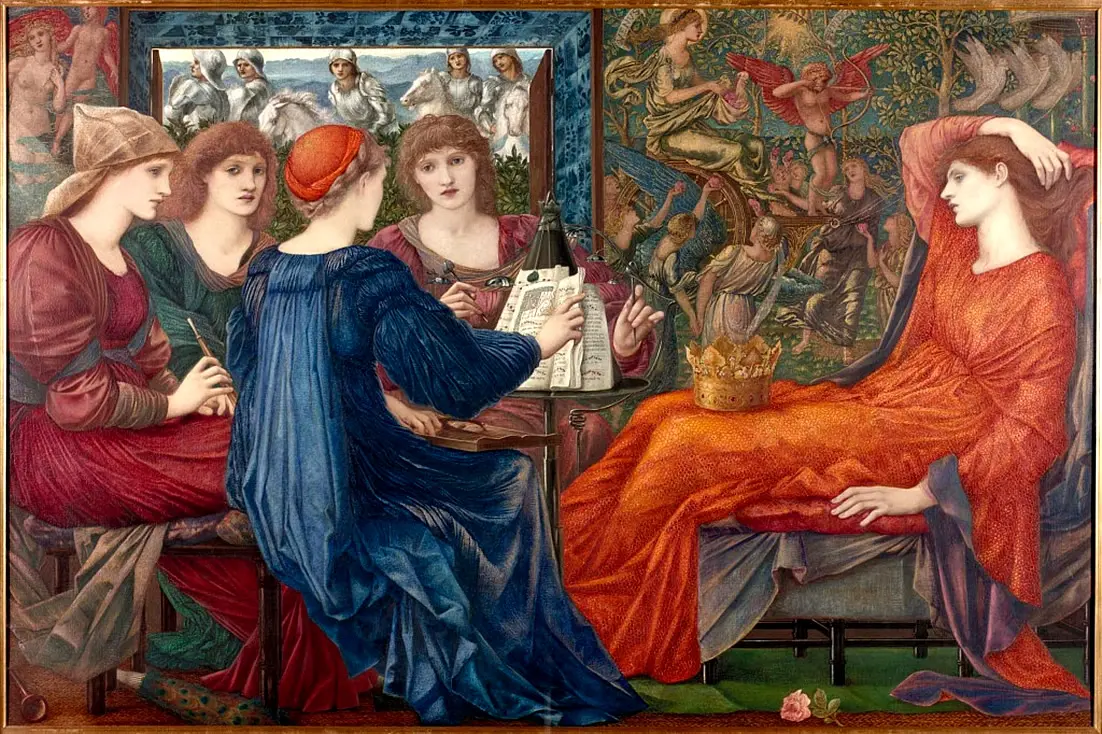
Figure 1: Laus Veneris, by Edward Brne Jones
Blockquotes
“The best way to predict the future is to invent it.” — Alan Kay
Code Blocks
For technical content, code blocks are essential:
function greet(name) {
  console.log(`Hello, ${name}! Welcome to Astro.`);
}
Putting this in /astro.config.mjs
  markdown: {
    shikiConfig: {
      // Swaps the default github-dark for a clean light theme
      theme: "github-light",
    },
  },
made code blocks legible
Implementation Tip:
When you view this page, you might notice the content looks a bit “cramped” or lacks spacing. This is because Astro does not provide default styling for Markdown.
Since your Layout probably just has a <slot />, you might want to wrap the content in a container class in your Layout.astro (e.g., <main class="prose">) and then add some basic CSS to your Layout to handle headings and spacing.
Does this file render within your Layout.astro as expected when you navigate to /test-elements?